How to Clear Cache
Steps to clear cache on Apple Safari
Step 1: Open the Settings app and tap Apps.
Step 2: Scroll down and tap Safari.
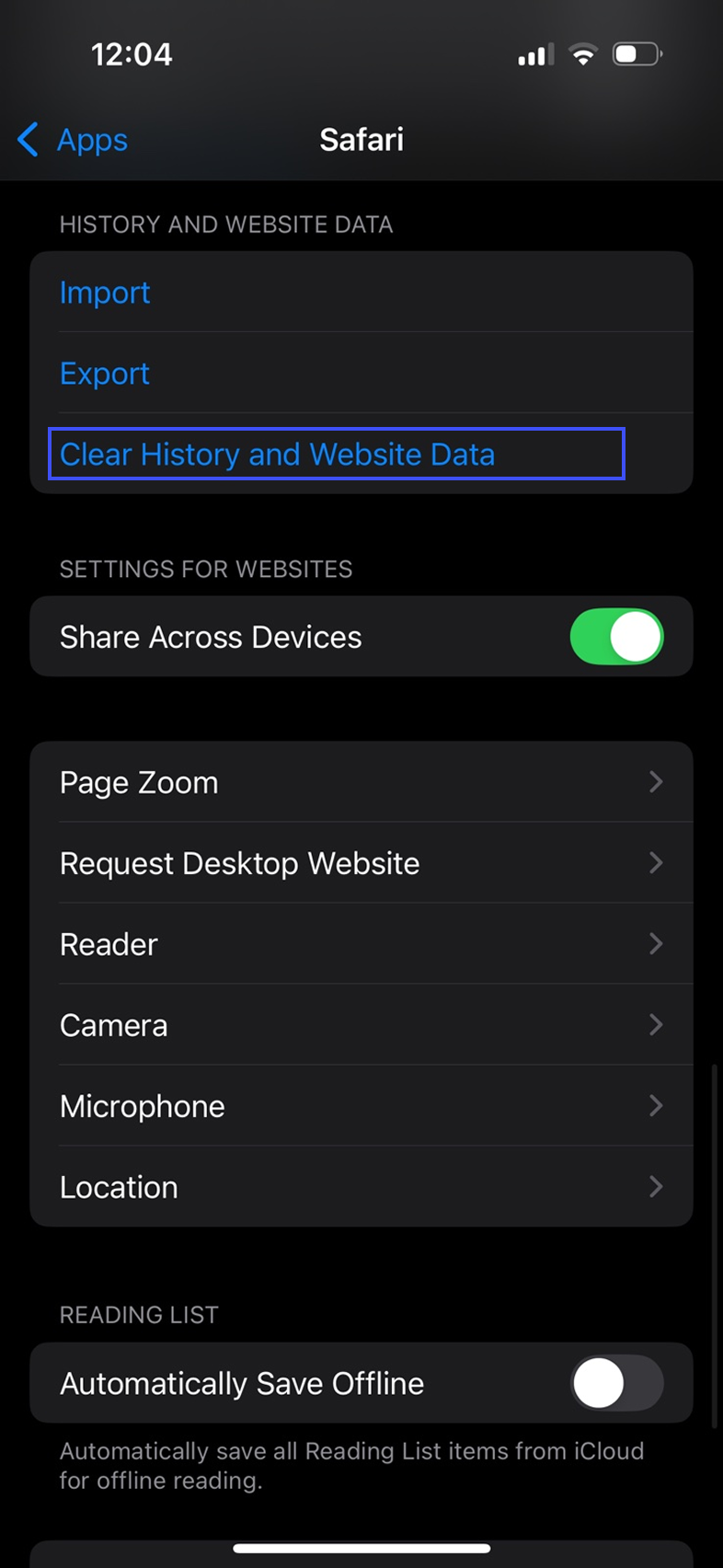
Step 3: Tap Clear History and Website Data.
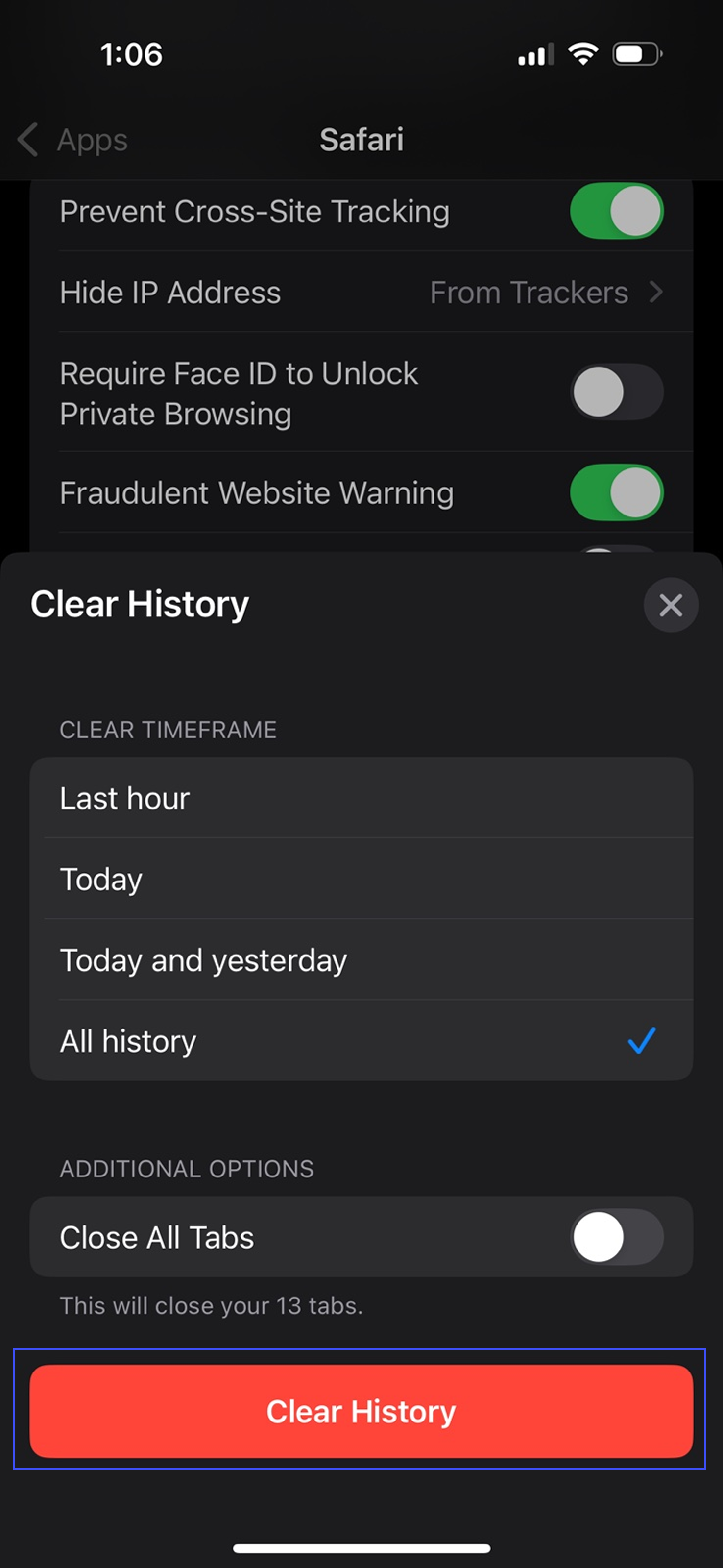
Step 4: Confirm when prompted to clear the data.
Steps to clear cache on Android Chrome
Step 1: Open the Chrome app.
Step 2: Tap the three dots in the top-right.

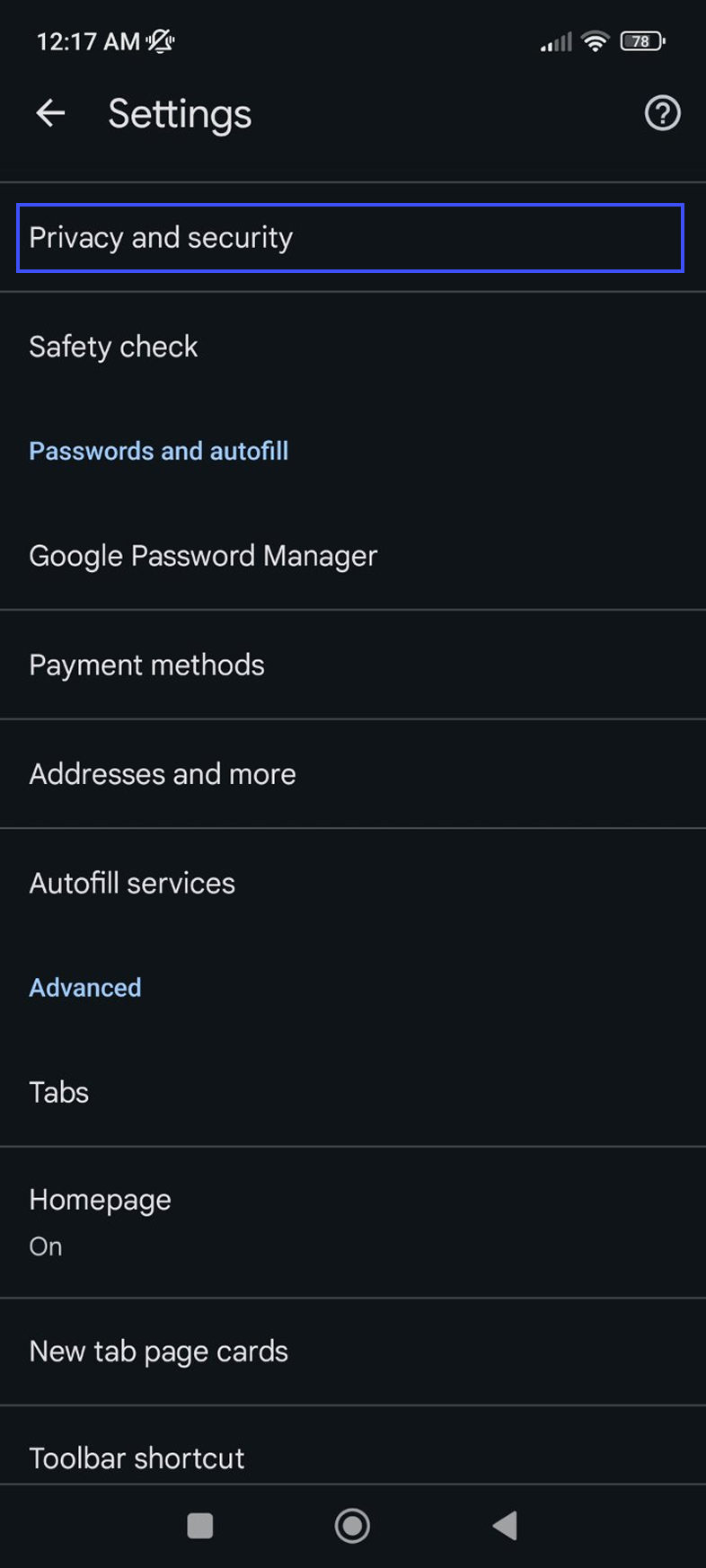
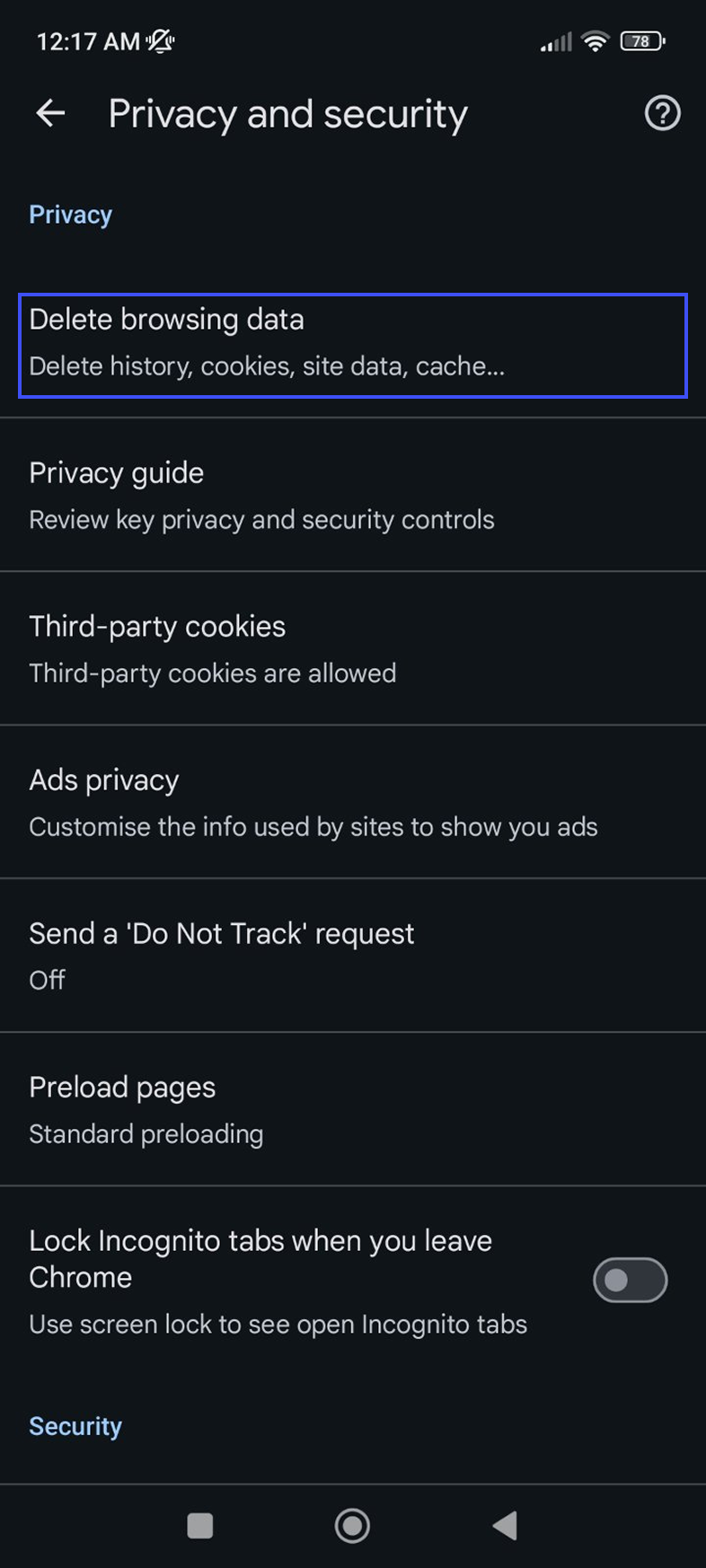
Step 3: Go to Settings > Privacy and security.
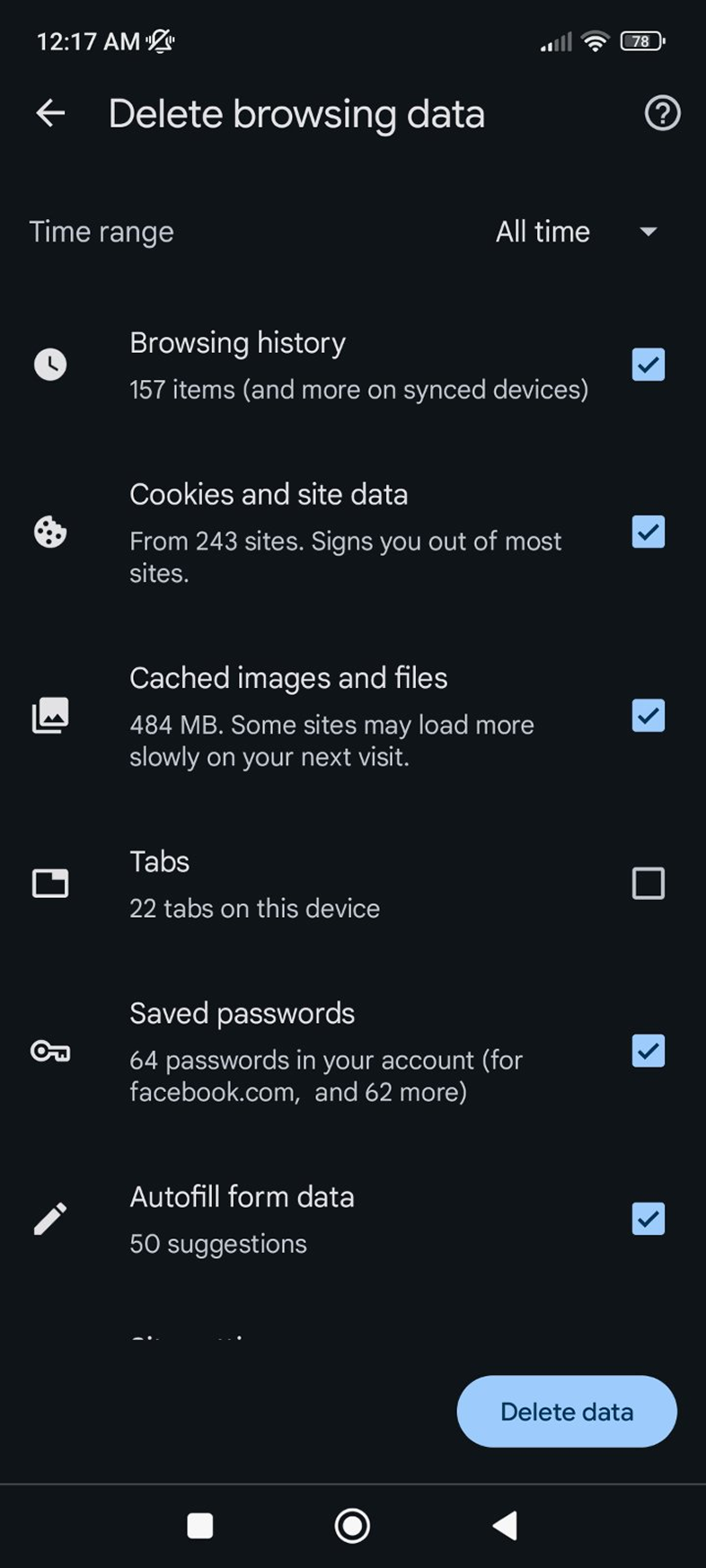
Step 4: Tap Delete browsing data.
Step 5: Select All time, check Cached images and files, then tap Delete data.